SEO continues to evolve rapidly with the rise of AI-powered search engines and generative search experiences. In 2026, on-page optimization is no longer just about inserting keywords into a webpage. Instead, it plays an important role in building a complete digital marketing strategy that improves visibility, traffic, and conversions. Instead, it focuses on creating structured, helpful, and well-optimized content that both search engines and AI systems can easily understand.
On-page SEO refers to all the elements within a webpage that you can directly control. These elements include title tags, meta descriptions, header tags (H1, H2, H3), image alt text, URL structure, internal linking, and the overall quality of the content.
When these elements are optimized correctly, they help search engines understand your page better and improve the chances of ranking higher in search results.
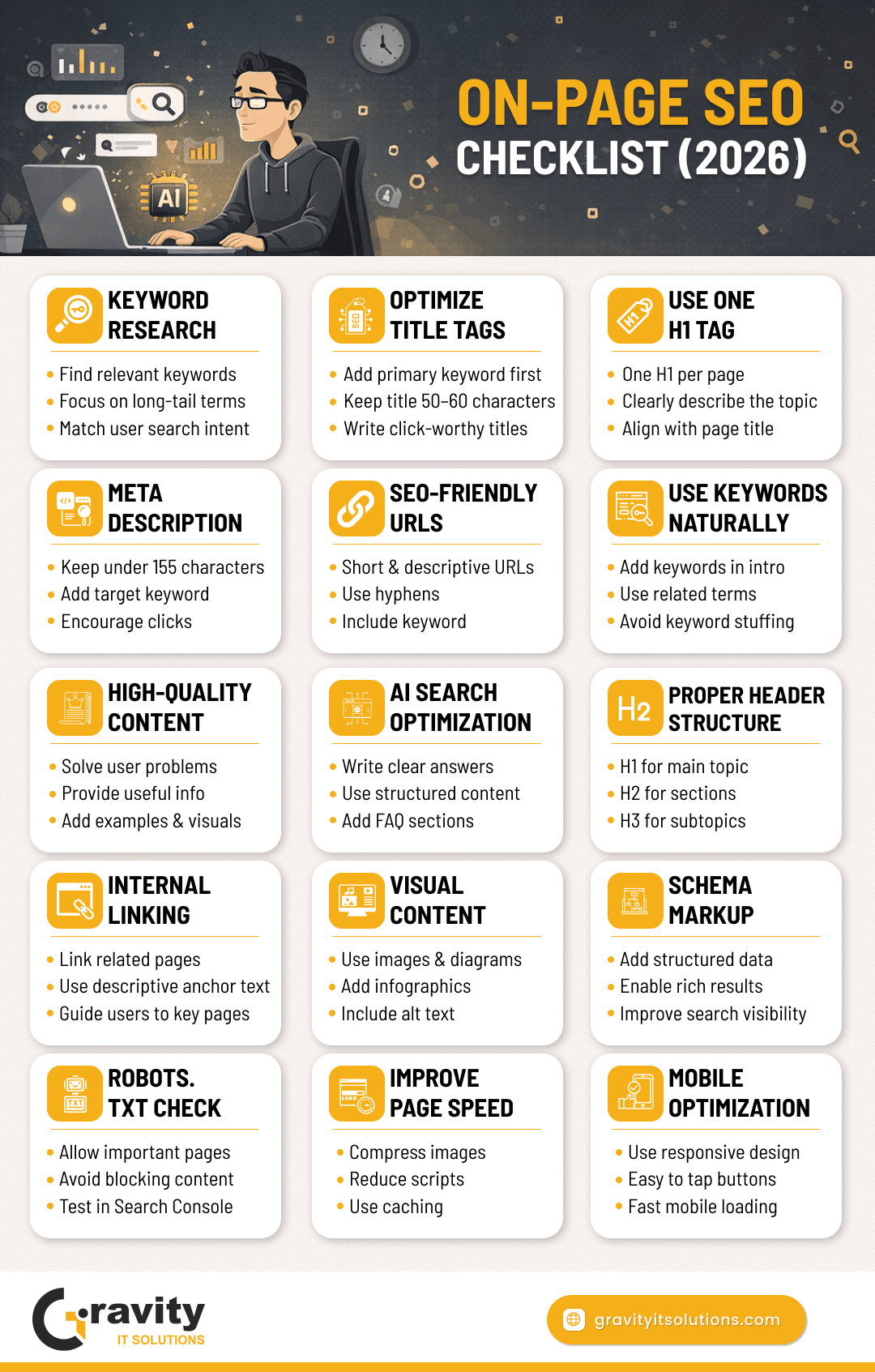
This guide provides a complete on-page SEO checklist for 2026 to help your pages rank higher in search engines and appear in AI-generated search results and summaries.
1. Keyword Research: The Foundation of SEO
Every successful SEO strategy begins with keyword research.
Keywords are the phrases people type into search engines when they are looking for information, products, or services. Choosing the right keywords helps your content appear in front of the right audience.
Selecting the wrong keywords can result in low traffic, irrelevant visitors, and poor rankings.
Before choosing keywords, you should understand the search intent behind a query.
Key Factors to Consider Before Choosing Keywords
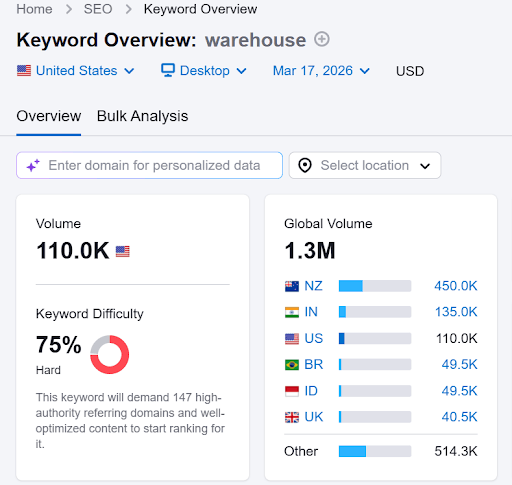
Keyword Difficulty
Keyword difficulty measures how competitive a keyword is. High-difficulty keywords are usually dominated by large websites with strong authority.
If your website is new or has lower authority, targeting low to medium competition keywords is usually a better strategy.
Search Intent
Search intent explains what users actually want to find when they perform a search.
Understanding intent helps you create content that matches the user's expectations.
Types of Search Intent
Informational Intent
Users want to learn something.
Example: “How warehouse automation works”
Navigational Intent
Users want to visit a specific website.
Example: “DHL official website”
Commercial Intent
Users are researching before making a purchase.
Example: “Best warehouse management software”
Transactional Intent
Users are ready to take action or buy.
Example: “Buy warehouse barcode scanner”
Example
Suppose you run a logistics consulting company.
A broad keyword such as “logistics” may have very high search volume, but it is extremely competitive and too generic.
Instead, targeting long-tail keywords such as the following can be much more effective:
• warehouse management system benefits • order fulfillment solutions guide • pallet racking equipment guide • logistics automation trends
These keywords attract visitors who are actively looking for logistics solutions, making them more valuable for your business.
2. Optimize the Title Tag
The title tag is one of the most important on-page SEO elements.
It appears in three important places:
• Google search results • Browser tabs • Social media previews when the page is shared
A well-optimized title tag can significantly improve click-through rate (CTR) and search rankings.
Best Practices for Title Tags
Place your primary keyword near the beginning of the title
Keep the title between 50–60 characters
Write titles that encourage users to click
Avoid keyword stuffing
Example
Poor Title Warehouse Management System and Logistics Software Tools Guide
Optimized Title Warehouse Management Systems Guide: Features & Benefits in 2026
3. Use a Clear H1 Tag
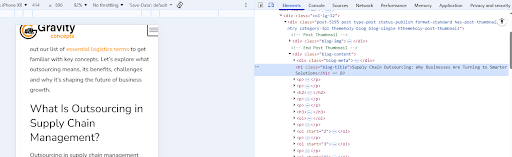
The H1 tag is the main heading of your webpage. It tells both readers and search engines what the page is about.
Each page should have only one H1 tag, and it should clearly describe the content of the page.
A strong H1 tag should be:
• Informative • Engaging • Closely aligned with the title tag
Example
Title Tag Complete Guide to Warehouse Optimization in 2026
H1 Tag How to Optimize Warehouse Operations for Faster Logistics
4. Write a Click-Optimized Meta Description
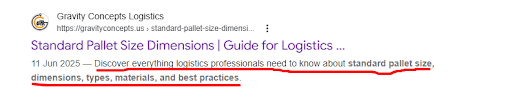
A meta description is a short summary of your webpage that appears below the title in search results.
Although meta descriptions are not a direct ranking factor, they strongly influence click-through rates.
A well-written meta description can encourage users to choose your page over competitors.
Meta Description Best Practices
Include the target keyword naturally
Clearly explain what readers will learn
Keep it under 155 characters
Add a subtle call-to-action
Example
Poor Meta Description This page explains logistics software tools and supply chain management.
Optimized Meta Description Discover how logistics software improves supply chain efficiency, reduces errors, and optimizes operations in 2026.
5. Create SEO-Friendly URLs
A clean and descriptive URL helps both users and search engines understand what a page is about.
Simple URLs are easier to remember, share, and index.
Clean URL structures are especially important for online stores because well-organized URLs improve navigation and product indexing for e-commerce websites.
6. Use Keywords Naturally in Content
Once you have selected your target keywords, they should be used naturally throughout your content.
Modern search engines understand context, synonyms, and semantic relationships. Because of this, it is important to include:
• keyword variations • related phrases • industry terminology
Example
If your primary keyword is “warehouse automation”, your article might include related terms such as:
• automated storage and retrieval systems • robotics in warehouses • smart logistics technology • automated picking systems
Where to Place Keywords
• In the first paragraph • In subheadings (H2 / H3) • In image alt text • Naturally throughout the article
Avoid keyword stuffing, as it can negatively impact readability and rankings.
7. Focus on Content Quality
Google prioritizes helpful, high-quality content. Many businesses rely on professional content writing services to create SEO-optimized articles that answer user queries and rank well in search results.
Your page should provide real value, not just target keywords.
Content Quality Checklist
Matches user search intent
Provides accurate and useful information
Offers unique insights or examples
Uses clear and simple language
Includes structured headings
Contains visuals, examples, or data
Example
If someone searches:
“How does pallet racking work?”
Your article should explain:
• what pallet racking is • different types of pallet racks • benefits of pallet racking • how warehouses use pallet systems
Providing comprehensive answers helps your content perform better in search results.
8. On-Page SEO for AI Search Engines
Search engines are evolving quickly with the introduction of AI-powered search experiences such as Google AI Overviews, ChatGPT Search, Perplexity AI, and other AI assistants that generate answers directly from webpages.
Because of this shift, on-page SEO is no longer focused only on keywords. It also involves structuring content so that AI systems can easily understand, interpret, and summarize the information.
To optimize for AI search engines, focus on creating clear, well-structured content. Start sections with direct answers, use descriptive headings, and naturally include related keywords throughout the article.
Content that explains concepts clearly and logically is more likely to be selected by AI systems when generating answers.
Adding FAQ sections, structured headings, and schema markup can also improve how search engines interpret your content. These elements provide additional context and increase the chances of appearing in featured snippets or AI-generated summaries.
By combining traditional SEO techniques with AI-friendly content structure, you can improve your chances of ranking well in both traditional search results and AI-powered search platforms.
9. Structure Content with Header Tags
Header tags help organize content into logical sections.
Search engines use headers to understand the hierarchy and structure of information on a page.
Example Structure
H1 — Warehouse Automation Guide
H2 — What is Warehouse Automation
H2 — Benefits of Warehouse Automation
H3 — Faster Order Processing
H3 — Reduced Labor Costs
H2 — Technologies Used in Automated Warehouses
Benefits of Using Proper Headings
• Improves readability • Helps search engines understand page sections • Increases chances of appearing in featured snippets
10. Use Internal Linking
Internal links connect pages within your website.
They help:
• users navigate your website easily • search engines discover new pages • distribute link authority across your website
Example
If you publish a blog about warehouse automation, you could link to:
Visual elements such as images, charts, and infographics improve engagement and help explain complex ideas more clearly. Strong visual design also plays a key role in branding and marketing.
In 2026, on-page SEO is no longer about simply placing keywords throughout your content. Instead, it focuses on content quality, user experience, and structured information that search engines and AI systems can easily interpret.
By following this on-page SEO checklist, you can:
• improve search rankings • increase organic traffic • enhance user experience • improve chances of appearing in AI-generated search results
Regularly reviewing and updating your content ensures that your website remains optimized for future search algorithm updates.
Frequently Asked Questions (FAQs) About On-Page SEO
1. What is on-page SEO?
On-page SEO refers to the process of optimizing elements within a webpage to improve its visibility in search engines. This includes optimizing title tags, meta descriptions, headers, keywords, internal links, images, and overall content structure.
2. Why is on-page SEO important in 2026?
On-page SEO is important because search engines and AI-powered search systems rely heavily on structured, high-quality content to understand webpages. Proper optimization improves rankings, increases organic traffic, and helps content appear in AI-generated search results.
3. What are the most important on-page SEO factors?
There is no fixed number of keywords required for SEO. Instead of focusing on keyword density, it is better to use one primary keyword along with several related keywords and variations naturally throughout the content.
5. What is the ideal length of SEO content?
The ideal length depends on the topic and search intent. However, most high-ranking blog posts typically contain 1,500 to 3,000 words, as longer content often provides more detailed information and better satisfies user intent.
6. How do header tags help SEO?
Header tags organize content into structured sections, making it easier for both readers and search engines to understand the page. They improve readability and help search engines identify important topics within the content.
7. What is an SEO-friendly URL?
An SEO-friendly URL is a short and descriptive web address that includes relevant keywords and uses hyphens to separate words.
Example:
gravityitsolutions.com/on-page-seo-checklist
8. Do meta descriptions affect rankings?
Meta descriptions are not a direct ranking factor, but they influence click-through rate (CTR). A compelling description can encourage more users to click on your page.
9. What is schema markup in SEO?
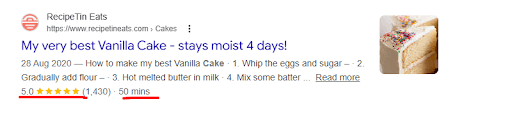
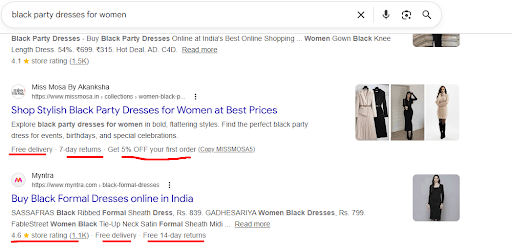
Schema markup is structured data added to HTML to help search engines understand webpage content. It allows search engines to display rich results such as FAQs, reviews, product details, and ratings.
10. How often should on-page SEO be updated?
On-page SEO should be reviewed and updated regularly. Updating content every 6–12 months helps maintain accuracy, improve rankings, and ensure the page continues to satisfy user search intent.
Pankaj Mehta, CEO of Gravity IT Solutions, brings over 19 years of
experience in
digital transformation. His strategic leadership drives global growth
through innovative web, app, and marketing solutions, leveraging AI, cloud,
and SEO to maximize ROI and brand visibility.
We use cookies to improve your browsing experience, serve personalized
content, and analyze our
traffic.
By clicking “Accept”, you consent to our use of cookies.
Learn more.