
6 Chrome Extensions Every SEO Beginner Should Start Using in 2026
Search Engine Optimization (SEO) has become more competitive than ever, especially with the growing impact of AI on modern search algorithms and SEO practices. Whether you are running a business website, managing client projects, or learning SEO as a beginner, using the right Search Engine Optimization (SEO) strategies and tools can make your work faster, smarter, and more effective.
One of the easiest ways SEO professionals improve their workflow is by using Chrome extensions. These lightweight browser tools help analyze websites, identify technical issues, optimize content, research competitors, and uncover SEO opportunities directly from the browser.
Instead of manually checking every SEO element, Chrome extensions simplify the process and save valuable time. From detecting broken links to analyzing website structures and researching competitor technologies, For businesses looking to improve online visibility, investing in professional Digital Marketing and SEO strategies can help achieve long-term growth.
For someone new to SEO, learning how to use these extensions can also improve technical knowledge and make website optimization less overwhelming. They provide quick insights that help users understand how search engines evaluate webpages and what improvements can increase visibility in search results.
In this blog, we’ll explore 6 powerful Chrome extensions that every SEO beginner should know about in 2026. You’ll learn what each tool does, its key features, how to use it effectively, and where it fits into your SEO workflow.
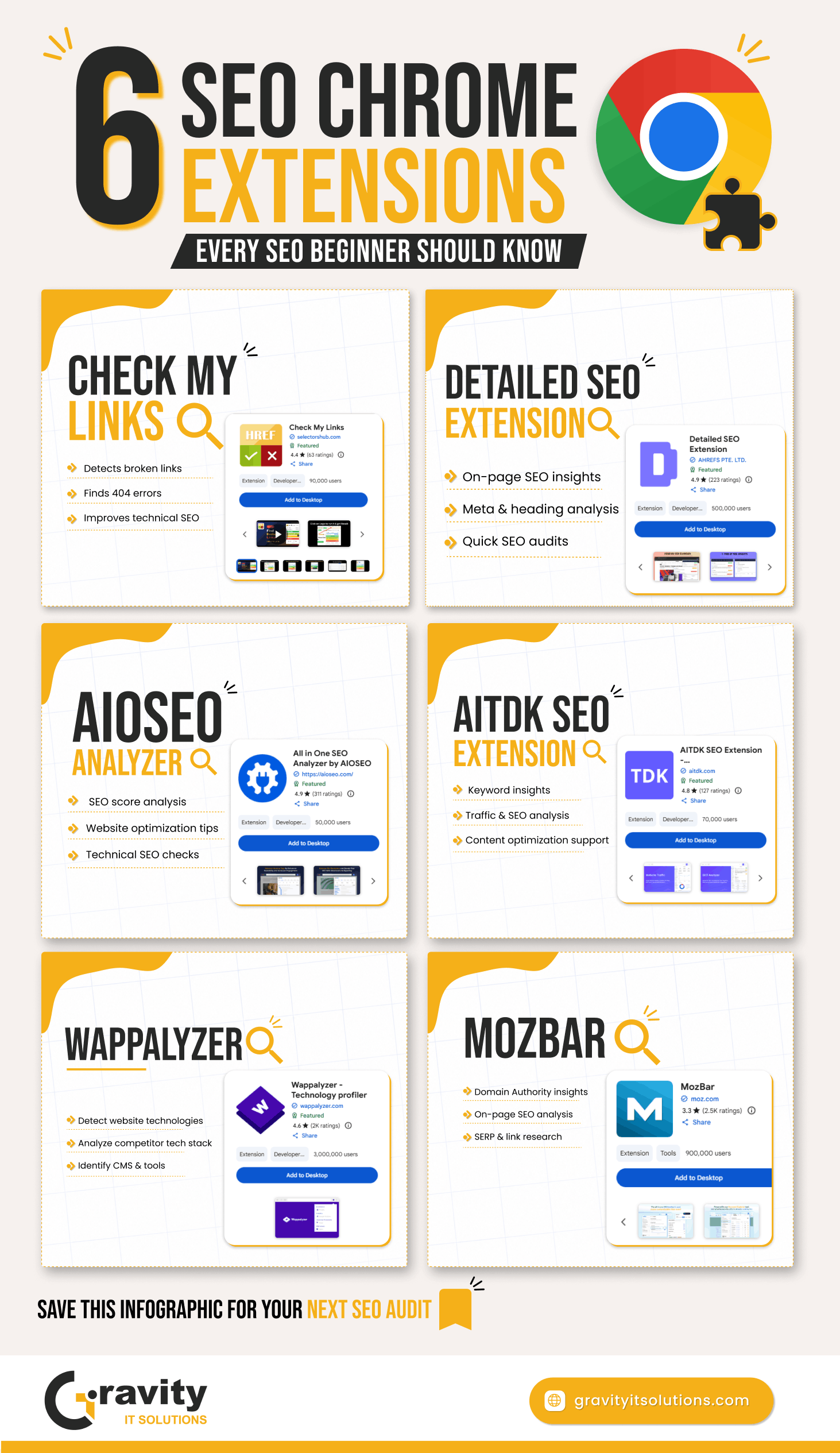
Whether your goal is improving technical SEO, optimizing content, or performing competitor research, these tools can help you work more efficiently and build a stronger foundation in SEO.
What Are SEO Chrome Extensions?
SEO Chrome extensions are browser-based tools designed to help users analyze, optimize, and improve websites directly within Google Chrome. Instead of opening multiple SEO platforms or software tools, these extensions provide instant insights while browsing any webpage.
For beginners, Chrome extensions make SEO easier to understand because they display important website data in a simple and accessible way. With just one click, users can check technical SEO elements, identify broken links, analyze content structure, review metadata, and even study competitor websites.
These tools work as small add-ons installed in the Chrome browser. Once installed, they appear near the browser toolbar and can be activated anytime while visiting a webpage. Most SEO professionals use multiple extensions together to speed up audits and daily optimization tasks.
It is also important to understand the difference between SEO tools and SEO Chrome extensions. Traditional SEO tools are usually full platforms that provide in-depth analytics, keyword tracking, backlink monitoring, and reporting features. Chrome extensions, on the other hand, are lightweight tools built for quick analysis and real-time website insights.
One of the biggest advantages of SEO Chrome extensions is convenience. Instead of manually checking page elements or using complicated processes, users can instantly access useful SEO data while browsing websites naturally.
Some common tasks SEO extensions help with include:
-
Detecting broken links
-
Analyzing heading structures
-
Reviewing metadata
-
Identifying schema markup
-
Checking website technologies
-
Researching competitors
-
Optimizing content
For beginners learning SEO, these extensions are extremely useful because they provide practical exposure to how websites are structured and optimized for search engines. Over time, using these tools regularly can help build stronger technical SEO knowledge and improve website analysis skills.
Why SEO Extensions Matter in Modern SEO
Modern SEO involves much more than just adding keywords to webpages. Search engines now evaluate website structure, page speed, content quality, user experience, technical performance, and many other ranking factors. Because of this, SEO professionals rely on tools that help them analyze websites quickly and efficiently.
This is where SEO Chrome extensions become extremely valuable.
One of the biggest reasons SEO extensions matter is speed. Instead of manually checking every SEO element on a webpage, extensions provide instant insights with just one click. This helps save time and allows SEO professionals to focus more on broader digital marketing strategy and optimization.
SEO extensions are also important for technical audits and understanding the foundations of a strong technical SEO strategy for modern websites. They help identify common SEO issues such as broken links, missing metadata, heading structure problems, schema errors, and indexing concerns. Detecting these issues early can improve website performance and user experience.
Another major benefit is competitor analysis. Many Chrome extensions allow users to study competitor websites directly from the browser. Beginners can learn how successful websites structure their pages, what technologies they use, and how they optimize content for search engines.
Content optimization is another area where SEO extensions are useful. Some tools provide keyword suggestions, content recommendations, and metadata insights that help improve on-page SEO. This makes it easier to create search-engine-friendly content without relying entirely on advanced SEO platforms.
SEO extensions also support workflow efficiency. Instead of switching between multiple tools, users can perform quick analyses directly inside the browser. This is especially helpful for agencies, freelancers, marketers, and beginners managing multiple websites or projects.
For beginners, these extensions simplify the learning process by making SEO more practical and visual. Rather than only studying theory, users can actively analyze real websites and understand how SEO elements work in real-time.
In today’s competitive digital landscape, using SEO Chrome extensions is no longer just a convenience — it has become an important part of working smarter, improving efficiency, and making better optimization decisions.
Chrome Extension #1 — Check My Links
What Is Check My Links?
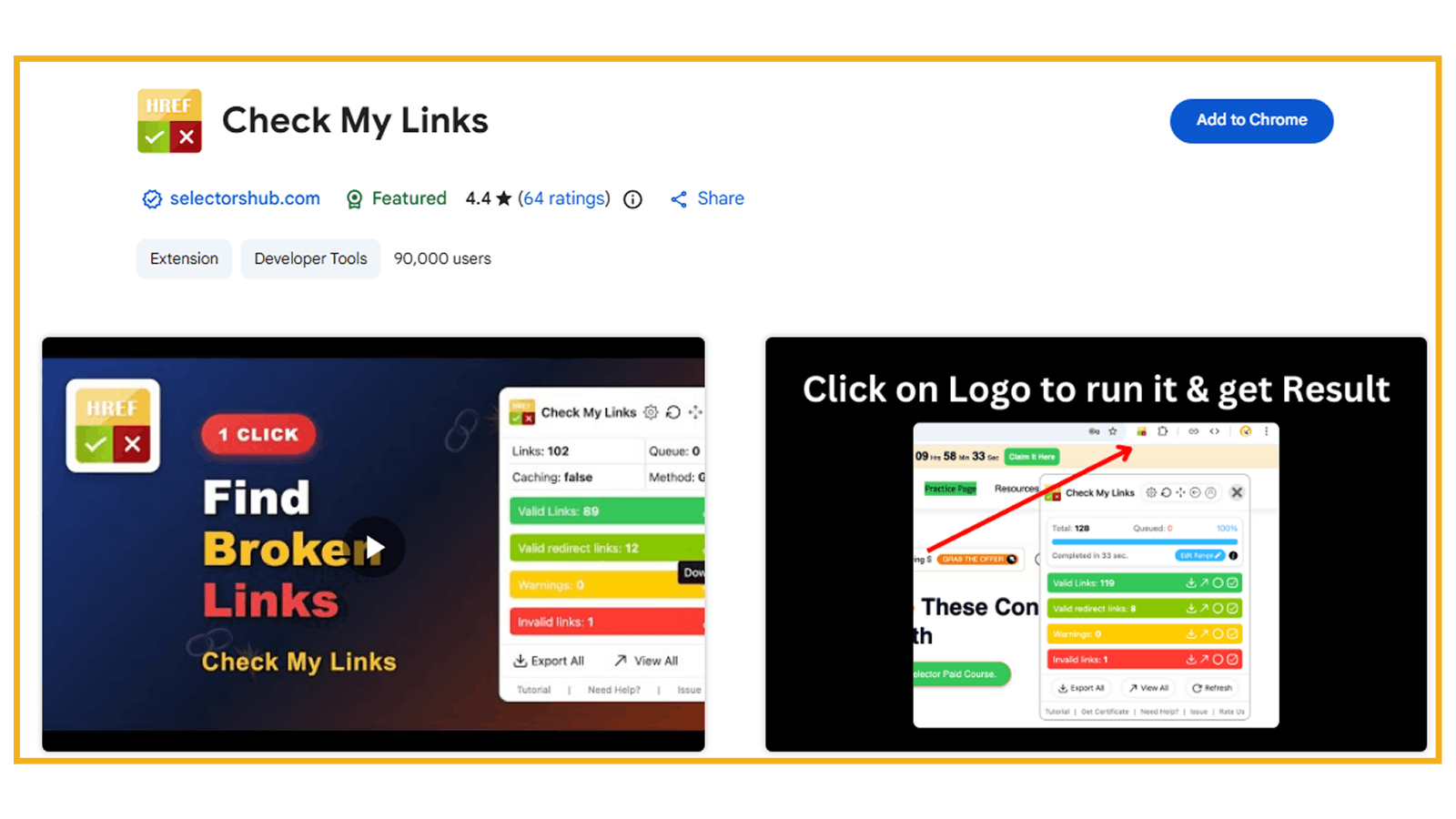
Check My Links is a powerful Chrome extension designed to quickly identify broken, invalid, or redirected links on a webpage. It helps SEO professionals, website owners, content editors, and developers ensure that all links on a page are working properly.
Instead of manually checking every hyperlink one by one, this extension scans the entire page instantly and highlights valid and broken links in different colors. This makes link auditing faster, easier, and far more efficient.
One of the latest updates to the extension also allows users to validate links inside Google Docs and Google Sheets, making it even more useful for content teams and SEO workflows.
Broken links can negatively impact user experience, reduce website credibility, and create technical SEO issues, which is why proper Website Development and user-focused Website Designing are essential for maintaining a healthy website. By regularly checking webpages for invalid links, website owners can improve website quality and maintain a healthier SEO structure.
Key Features of Check My Links
1. One-Click Link Scanning
The extension scans all links on a webpage instantly with a single click, saving valuable time during audits.
2. Detects Broken & Redirected Links
It identifies:
-
Broken links (404 errors)
-
Invalid URLs
-
Redirected links
-
Working links
This helps users quickly locate and fix issues.
3. Color Highlighting for Easy Analysis
Links are highlighted using different colors so users can easily distinguish between valid and problematic links while reviewing a page.
4. Google Docs & Sheets Support
The tool can now verify links inside Google Docs and Google Sheets, making it useful for content planning, documentation, and outreach management.
5. Downloadable Reports
Users can generate detailed reports of broken or invalid links for better documentation and issue tracking.
Chrome Extension #2 — Detailed SEO Extension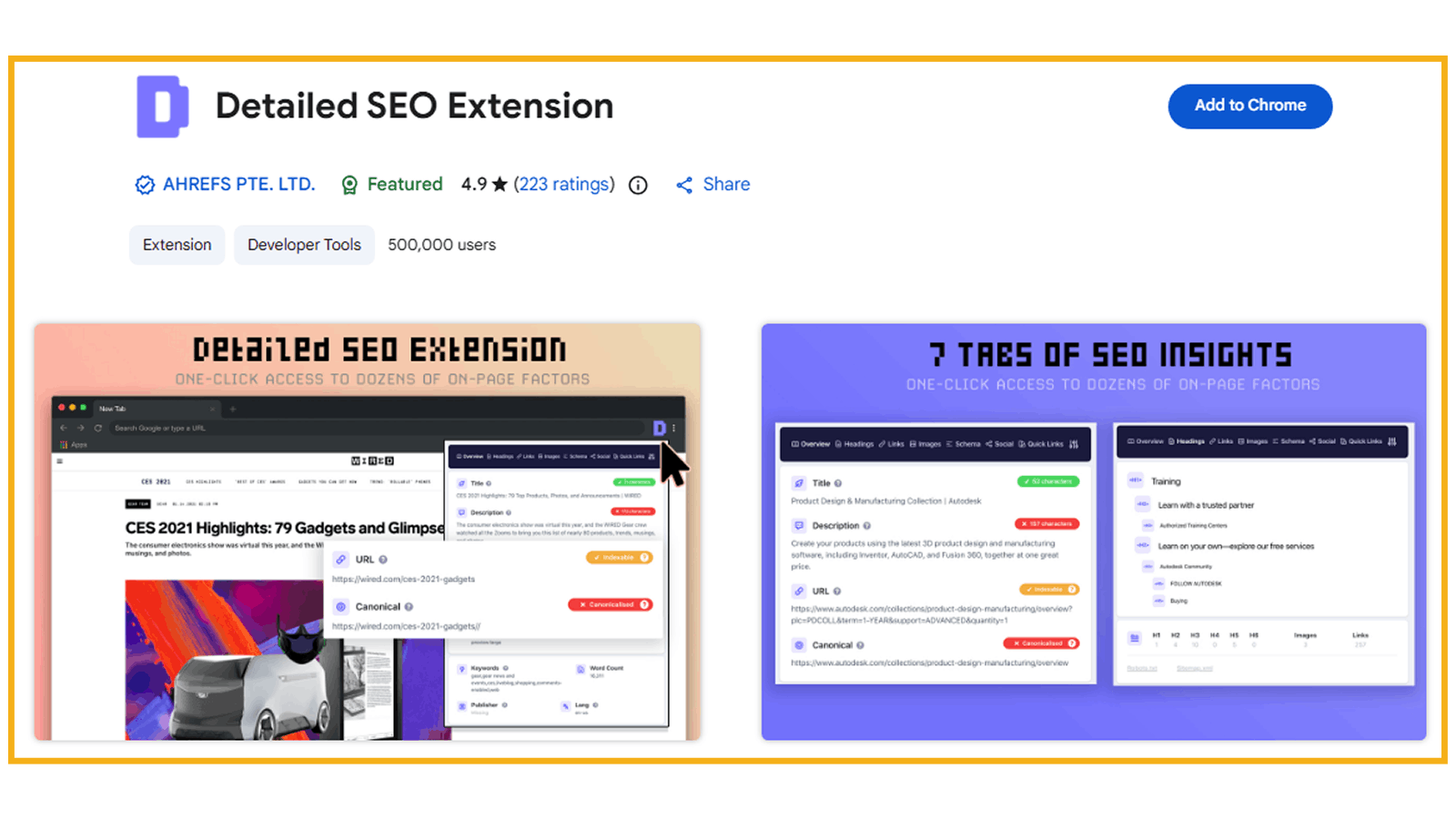
What Is a Detailed SEO Extension?
Detailed SEO Extension is a powerful Chrome extension that provides instant SEO insights for any webpage you visit. Designed by experienced SEO professionals, the tool helps users analyze important on-page SEO elements without manually reviewing the website’s source code.
With a single click, the extension displays valuable SEO information such as title tags, meta descriptions, meta robots tags, heading structures, schema markup, canonical tags, and much more. This makes website analysis faster, easier, and more efficient for SEO professionals, marketers, content creators, and beginners.
Instead of spending time inspecting page code manually, Detailed SEO Extension organizes important SEO data in a clean and easy-to-understand format directly inside the browser.
For beginners learning SEO, this extension is especially useful because it helps explain how webpages are optimized for search engines and what elements contribute to better rankings.
Key Features of Detailed SEO Extension
1. Instant On-Page SEO Analysis
For beginners, following a proper On-Page SEO Checklist for Higher Rankings can help improve website structure and search visibility more effectively.
2. View Important Meta Information
Users can instantly check:
-
Title tags
-
Meta descriptions
-
Meta robots tags
-
Canonical tags
Businesses often combine on-page optimization with professional Content Writing services to improve both search rankings and user engagement.
3. Analyze Heading Structures
The tool displays H1, H2, H3, and other heading tags, making it easier to understand page structure and content hierarchy.
4. Schema & Structured Data Insights
Detailed SEO Extension helps users review schema markup and structured data implementation on webpages.
5. Saves Time During SEO Audits
Instead of manually searching through source code, users can access all major SEO elements in one place, making audits significantly faster.
Chrome Extension #3 — AIOSEO Analyzer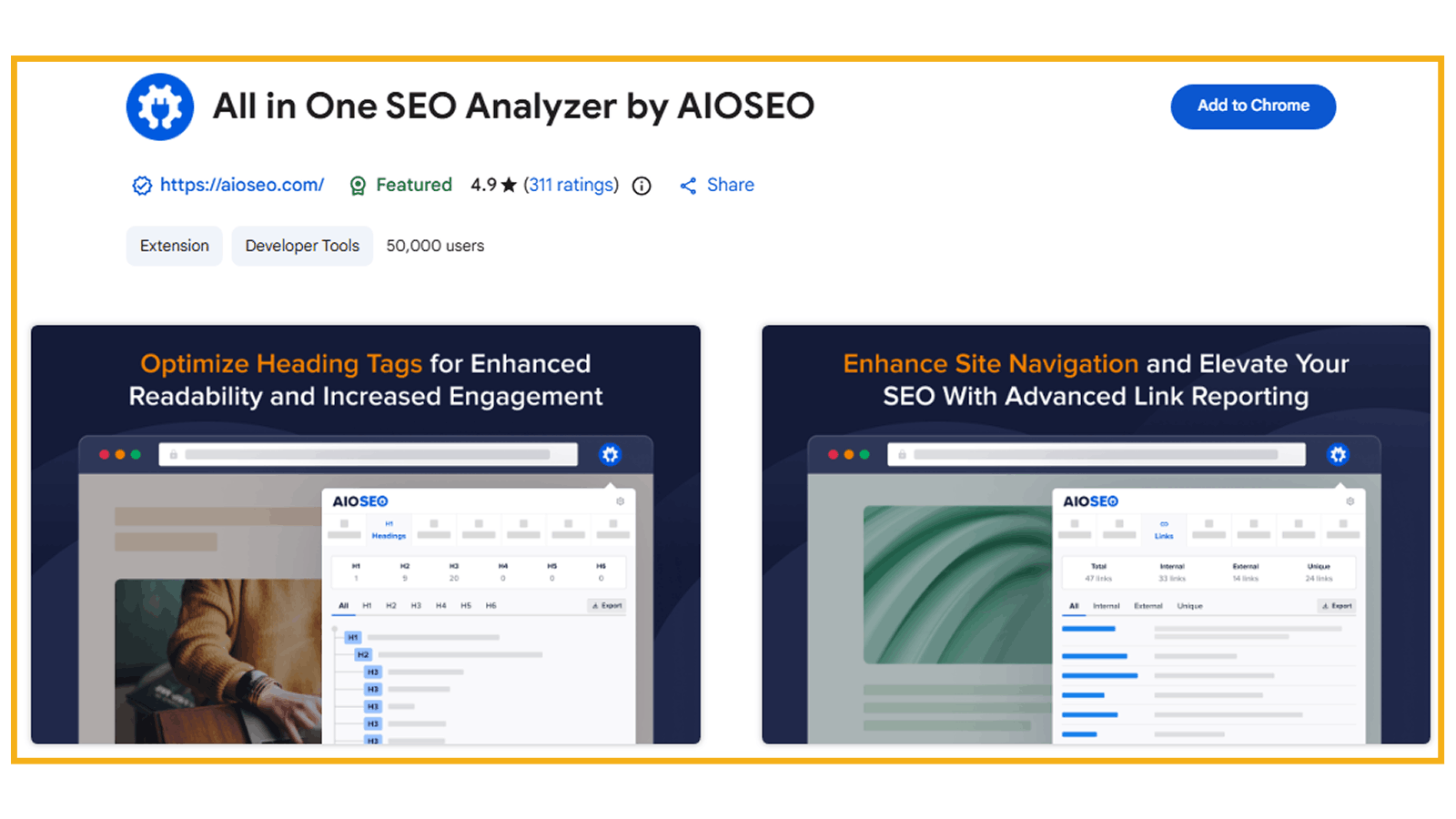
What Is AIOSEO Analyzer?
AIOSEO Analyzer is a free SEO analysis tool designed to help users evaluate and optimize their websites for search engines. The extension provides a detailed overview of important SEO elements and helps identify areas that need improvement.
Built by the team behind All in One SEO (AIOSEO), this tool analyzes webpages from top to bottom, reviewing factors such as title tags, meta descriptions, keywords, content structure, and overall SEO performance.
One of the most useful features of AIOSEO Analyzer is its SEO scoring system. The tool generates an SEO score based on how well a webpage is optimized. A higher score generally indicates better optimization and stronger potential to rank in search engine results.
For beginners, this extension is especially valuable because it simplifies website analysis and provides easy-to-understand recommendations for improving SEO performance.
Beyond technical analysis, the tool also helps website owners improve user experience, increase online visibility, and drive more organic traffic through better optimization practices.
Key Features of AIOSEO Analyzer
1. Complete SEO Website Analysis
The extension scans webpages and analyzes important SEO factors that influence search engine rankings.
2. SEO Score Evaluation
AIOSEO Analyzer provides an SEO score that helps users understand the overall optimization quality of a webpage.
3. Reviews Important SEO Elements
The tool checks:
-
Title tags
-
Meta descriptions
-
Keywords
-
Content structure
-
Basic technical SEO elements
4. Actionable SEO Recommendations
Users receive useful insights and suggestions to improve website optimization and performance.
5. Beginner-Friendly Interface
The extension presents SEO data in a simple and easy-to-understand format, making it ideal for beginners learning SEO.
Chrome Extension #4 — AITDK SEO Extension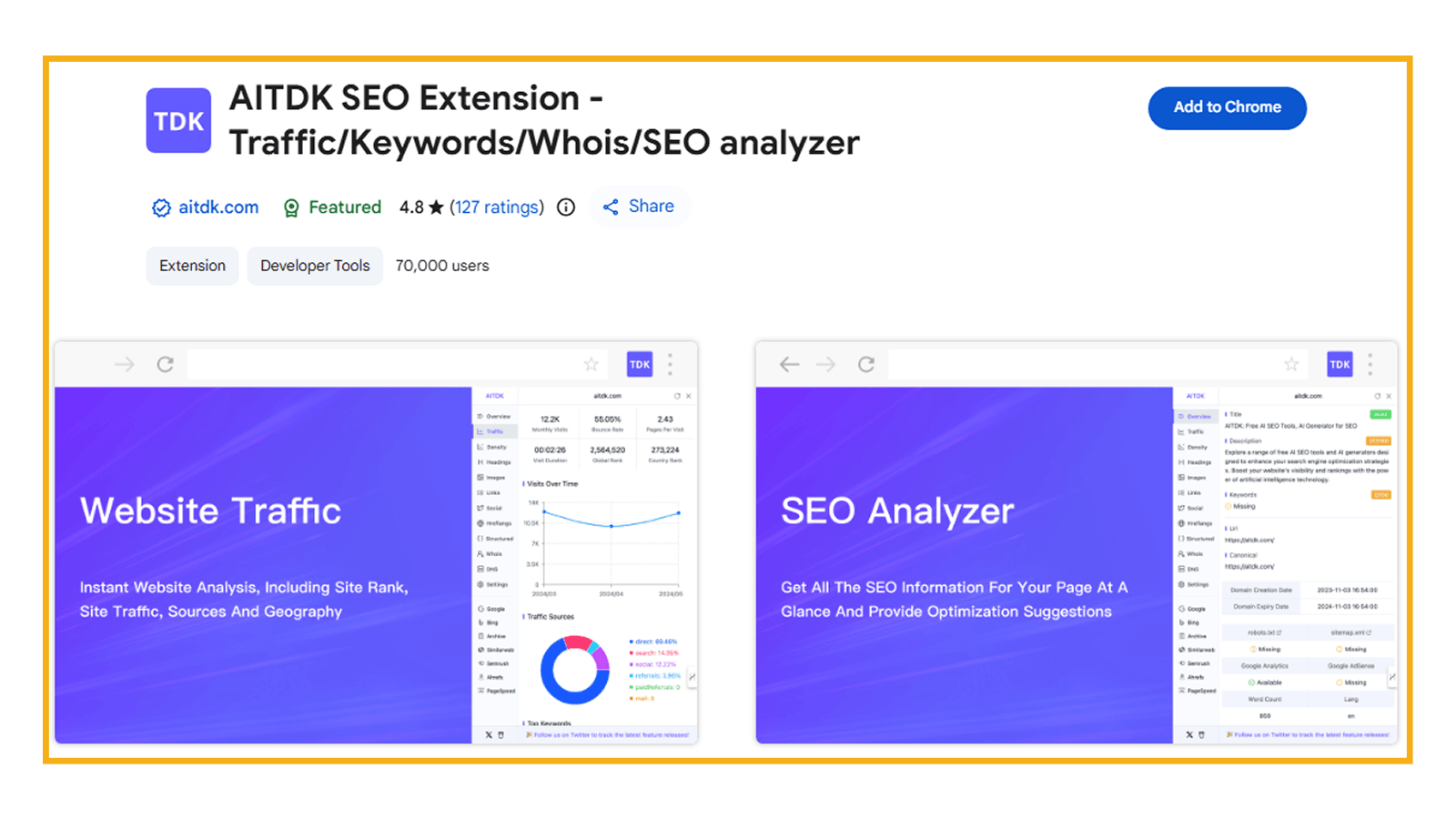
What Is AITDK SEO Extension?
AITDK SEO Extension is an all-in-one SEO browser extension designed to provide valuable website insights and SEO analysis directly within your browser. The tool combines multiple SEO features into a single extension, helping users analyze website performance, traffic, keywords, domain information, and overall optimization.
This extension is especially useful for website owners, SEO professionals, marketers, bloggers, and beginners who want quick access to important SEO data without using multiple tools.
One of the biggest advantages of AITDK SEO Extension is its versatility. In addition to SEO analysis, it also provides website traffic insights, keyword density analysis, and Whois lookup functionality, making it a helpful tool for competitor research and website evaluation.
The extension helps users better understand how websites perform online and provides useful recommendations for improving visibility, search rankings, and overall SEO health.
For beginners learning SEO, AITDK SEO Extension offers an easy way to explore website optimization metrics and understand important SEO concepts directly from real websites.
Key Features of AITDK SEO Extension
1. Website SEO Analysis
The extension analyzes important SEO elements and provides insights to help improve website optimization.
2. Website Traffic Insights
Users can view estimated website traffic data and engagement insights to better understand website performance.
3. Keyword Density Checker
AITDK SEO Extension helps analyze keyword usage and density on webpages, which can support content optimization efforts.
4. Whois Lookup Functionality
The tool allows users to retrieve domain registration information through built-in Whois lookup features.
5. All-In-One SEO Utility
Instead of using separate tools for traffic analysis, keyword checking, and SEO audits, users can access multiple features within one extension.
Chrome Extension #5 — Wappalyzer
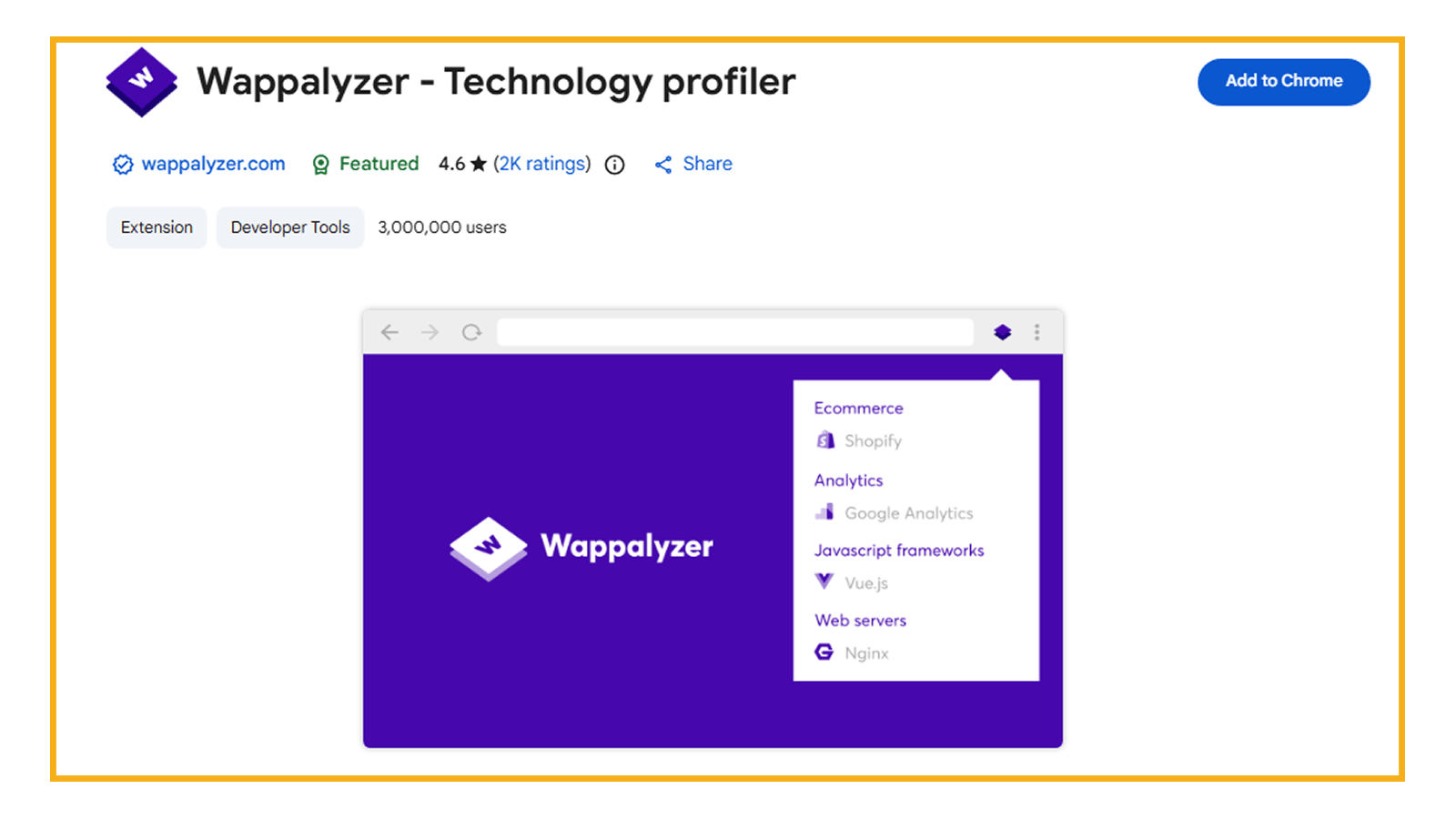
What Is Wappalyzer?
Wappalyzer is a powerful technology profiler that helps users identify the technologies used to build websites. With a single click, the extension reveals important technical details about any website, including its CMS, frameworks, ecommerce platforms, analytics tools, marketing technologies, JavaScript libraries, and much more.
The extension is widely used by SEO professionals, developers, marketers, agencies, and business owners for competitor research and website analysis.
Unlike basic CMS detection tools, Wappalyzer can identify thousands of technologies across multiple categories. This includes:
-
Content Management Systems (CMS)
-
Programming languages
-
Analytics tools
-
Marketing platforms
-
Payment processors
-
CRM systems
-
CDN services
-
Ecommerce technologies
-
JavaScript libraries
For beginners learning SEO and digital marketing, Wappalyzer is an excellent tool for understanding how websites are built and what technologies successful websites use behind the scenes.
The extension also includes features like CSV export and light/dark mode support for better usability.
Key Features of Wappalyzer
1. Detect Website Technologies
Wappalyzer identifies the technologies powering a website, including CMS platforms, frameworks, and third-party tools.
2. CMS & Ecommerce Detection
The extension can detect platforms such as:
-
WordPress
-
Shopify
-
Magento
-
Wix
-
Joomla
and many other CMS and ecommerce systems.
3. Marketing & Analytics Insights
Users can discover which analytics, tracking, advertising, and marketing tools websites are using.
4. Framework & Library Identification
The tool identifies frontend and backend technologies, including JavaScript libraries and frameworks used on webpages.
5. Export Data to CSV
Users can export technology data for reporting, competitor analysis, or documentation purposes.
Chrome Extension #6 — MozBar by Moz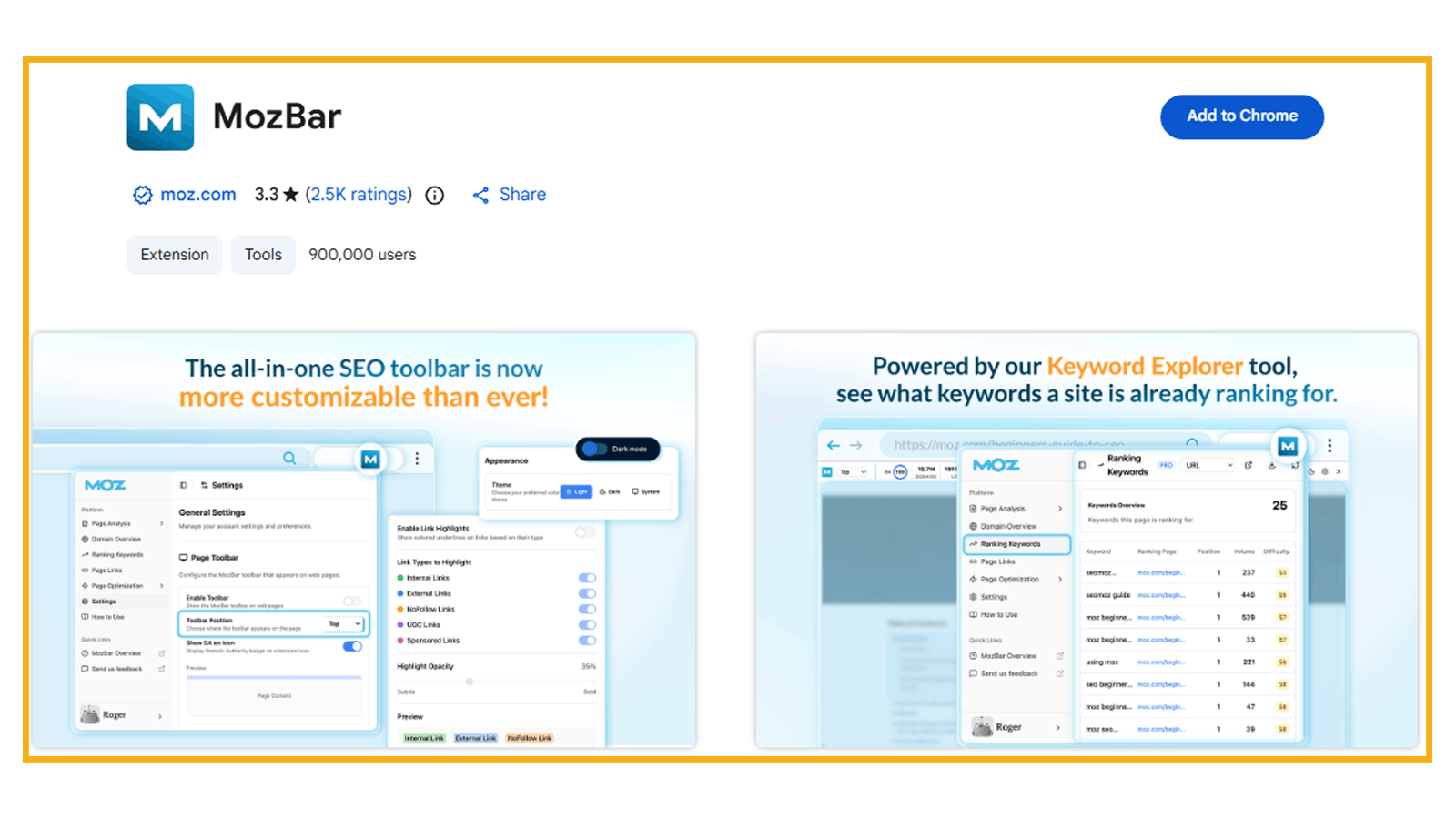
What Is MozBar?
MozBar is one of the most popular and trusted SEO browser extensions used by SEO professionals, marketers, agencies, and website owners worldwide. Developed by Moz, the extension provides instant SEO insights and website analysis directly within the Chrome browser.
MozBar helps users analyze important SEO metrics, audit on-page elements, review link data, and track website authority scores in real-time. Whether you are performing competitor research, technical SEO analysis, or content optimization, MozBar simplifies the process by displaying valuable SEO data instantly while browsing websites.
The latest version, MozBar V5, has been rebuilt with improved speed, better performance, enhanced reporting, and customizable interface options to support modern SEO workflows.
One of the most valuable features of MozBar is its ability to display Domain Authority (DA) and Page Authority (PA), two widely used SEO metrics that help estimate the strength and credibility of a website or webpage.
For beginners learning SEO, MozBar is an excellent tool for understanding authority metrics, on-page SEO elements, internal linking, and competitor website analysis.
Key Features of MozBar
1. Instant Domain Authority & Page Authority Metrics
MozBar displays important authority metrics such as:
-
Domain Authority (DA)
-
Page Authority (PA)
-
Brand Authority
These metrics help users evaluate the strength and ranking potential of websites.
2. On-Page SEO Analysis
The extension allows users to review:
-
Title tags
-
Meta descriptions
-
Heading structures
-
Followed and no-follow links
-
Internal and external links
This helps simplify on-page SEO audits.
3. Technical SEO Audits
MozBar helps analyze important technical SEO elements including:
-
Schema markup
-
hreflang tags
-
robots.txt
-
XML sitemaps
Users can access this information without manually checking source code.
4. SERP Analysis & CSV Export
The extension can analyze SEO metrics directly on Google search result pages (SERPs) and allows users to export data into CSV format for reporting and research.
5. Keyword & Content Insights
Moz Pro users can access additional insights such as:
-
Top-ranking keywords
-
Page optimization scores
-
Domain analysis
-
Keyword ranking data
How to Choose the Right SEO Extensions
With so many SEO Chrome extensions available, beginners often feel confused about which tools they actually need. The best approach is to choose extensions based on your specific SEO goals instead of installing too many tools at once.
Different SEO extensions are designed for different tasks. Some focus on technical SEO, while others help with content optimization, keyword analysis, competitor research, or website technology analysis.
Here are a few important factors to consider when choosing the right SEO extensions:
1. Choose Based on Your SEO Goals
Start by identifying what you want to improve:
-
Technical SEO
-
On-page optimization
-
Content SEO
-
Competitor research
-
Website analysis
-
Link auditing
Selecting tools that match your workflow will make learning SEO easier and more effective.
2. Look for Beginner-Friendly Tools
If you are new to SEO, choose extensions with:
-
Simple interfaces
-
Clear insights
-
Easy navigation
-
Actionable recommendations
Complicated tools can feel overwhelming in the beginning, so it’s better to start with extensions that explain SEO data clearly.
3. Avoid Installing Too Many Extensions
Having too many browser extensions can slow down your browser and create confusion during analysis. Instead, focus on a small set of tools that solve your main SEO needs.
For example:
-
Use Check My Links for technical link audits
-
Use Detailed SEO Extension for on-page analysis
-
Use Wappalyzer for competitor technology research
4. Prioritize Accuracy & Reliability
Not every SEO extension provides accurate data. Choose tools that are widely used and trusted by SEO professionals and marketers.
Reliable tools help you make better optimization decisions and reduce the risk of incorrect analysis.
5. Consider Your Workflow
Some extensions are better for quick analysis, while others are useful for deeper audits. Think about how often you perform tasks like:
-
Website reviews
-
SEO audits
-
Competitor analysis
-
Content optimization
Choose tools that help improve your daily workflow and save time.
6. Focus on Learning, Not Just Metrics
SEO tools are designed to assist decision-making, but understanding SEO fundamentals is equally important. Beginners should use extensions as learning tools rather than depending entirely on automated scores or recommendations.
The more you practice analyzing websites, the better your SEO knowledge and optimization skills will become.
Common Mistakes Beginners Make
SEO Chrome extensions are extremely useful, but beginners often make several mistakes while using them. Understanding these common issues can help you use SEO tools more effectively and avoid confusion during optimization.
1. Using Too Many Extensions at Once
One of the most common mistakes beginners make is installing too many SEO extensions together. This can:
-
Slow down the browser
-
Create conflicting data
-
Make analysis overwhelming
Instead of using every available tool, focus on a few reliable extensions that match your learning goals and workflow.
2. Relying Only on SEO Scores
Many beginners pay too much attention to SEO scores without understanding the actual issues behind them.
A high SEO score does not always guarantee strong rankings, and a low score does not always mean poor performance. SEO involves multiple ranking factors, including content quality, backlinks, search intent, and user experience.
Use SEO scores as guidance — not as the only measure of success.
3. Ignoring Technical SEO Issues
Beginners often focus only on keywords and content while ignoring technical SEO problems such as:
-
Broken links
-
Missing metadata
-
Poor heading structure
-
Indexing issues
-
Slow-loading pages
Technical SEO plays a major role in website performance and search visibility.
4. Not Understanding the Data
SEO extensions provide valuable insights, but beginners sometimes use tools without understanding what the data actually means.
For example:
-
Why are title tags important?
-
What does a canonical tag do?
-
Why does heading structure matter?
Learning the basics behind the metrics is essential for making better SEO decisions.
5. Copying Competitor SEO Blindly
Competitor research is useful, but directly copying another website’s SEO strategy is a mistake. Every website has different goals, audiences, and content strategies.
Instead of copying competitors, focus on understanding:
-
What works well
-
Why it works
-
How you can improve your own strategy
6. Depending Entirely on Automation
SEO extensions help simplify analysis, but they should not replace human judgment. Automated recommendations are helpful, but real SEO success requires strategy, creativity, testing, and continuous learning.
The best approach is to use SEO extensions as support tools while building a strong understanding of SEO fundamentals.
Final Tip for Beginners
Start simple. Learn one tool at a time, practice regularly, and focus on understanding how websites work from an SEO perspective.
Over time, these extensions will become valuable assets in your SEO workflow and help you work more efficiently and confidently.

Pankaj Mehta
Pankaj Mehta, CEO of Gravity IT Solutions, brings over 19 years of experience in digital transformation. His strategic leadership drives global growth through innovative web, app, and marketing solutions, leveraging AI, cloud, and SEO to maximize ROI and brand visibility.